Endpoint Introduction
Endpoints define how 1Gateway communicates with external systems such as SaaS platforms, on-premises applications, or databases.
They centralize connection details like base URLs, authentication methods, and reusable configuration values, allowing multiple plugins to share the same configuration.
Instead of configuring connection details within every plugin, they are defined once in an endpoint and reused wherever needed.
Endpoints are independent from workflows, but they are referenced by workflow plugins whenever communication with an external system is required. This separation keeps connection configuration distinct from workflow processing logic.
As a result, environment-specific settings (for example QA vs PROD endpoints) can be updated in one place without requiring changes to the workflow itself.
Endpoint Plugins
Endpoint plugins define the connection settings for external systems. These plugins can be:
Predefined Endpoints
Out-of-the-box integrations designed for specific platforms.
Examples include endpoints for systems such as Jira or other commonly used enterprise platforms.
Generic Endpoints
Generic endpoints allow integration with systems that do not have a dedicated plugin.
Currently supported generic endpoint types include:
- REST Endpoint – Connect to an external system via HTTP REST APIs.
- SQL Endpoint – Connect to a database using JDBC.
Referencing an Endpoint from Other Plugins
Other plugins can reference an endpoint by using the same endpoint name.
When a plugin references an endpoint:
- The plugin automatically uses the endpoint's connection configuration.
- Authentication settings configured in the endpoint are automatically applied.
- Multiple plugins can reuse the same endpoint configuration.
This allows integrations to remain centralized, reusable, and easier to maintain.
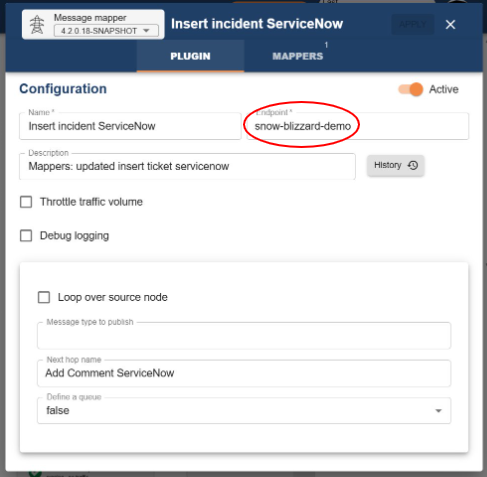
Using Endpoint Fields in Plugins
Plugins can dynamically reference values stored in the endpoint configuration.
This is done using the syntax: {{endpoint:field_name}}
Examples
- For example, to insert a ticket into ServiceNow by referencing the endpoint's base URL:
{{endpoint:url}}/api/now/table/incident
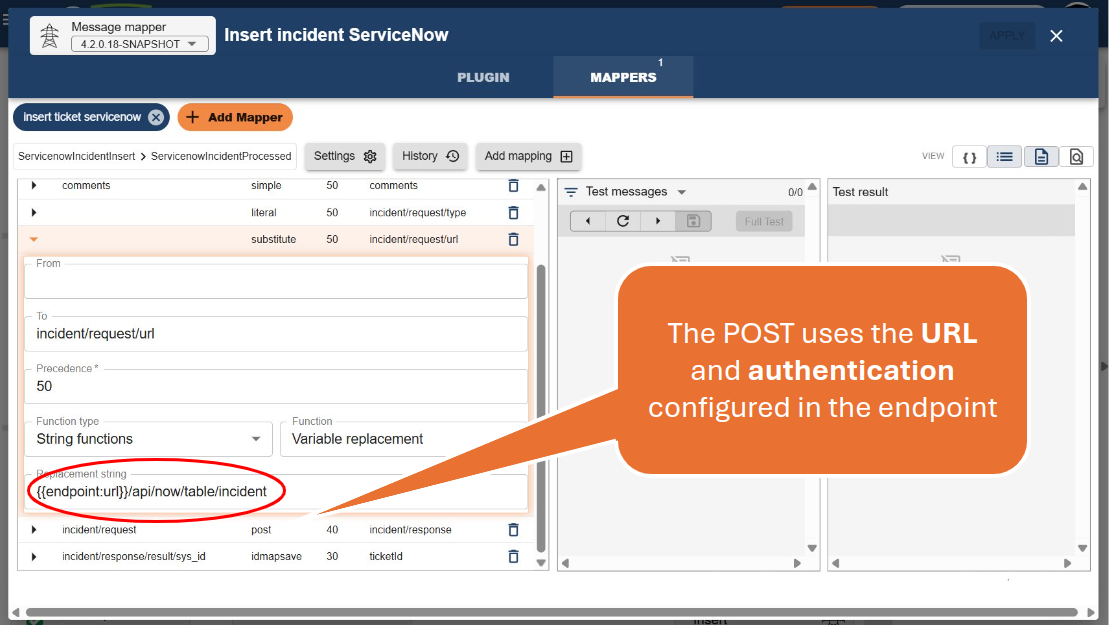
- To reference a custom field, such as a default category for a ServiceNow incident:
{{endpoint:defaultCategory}}
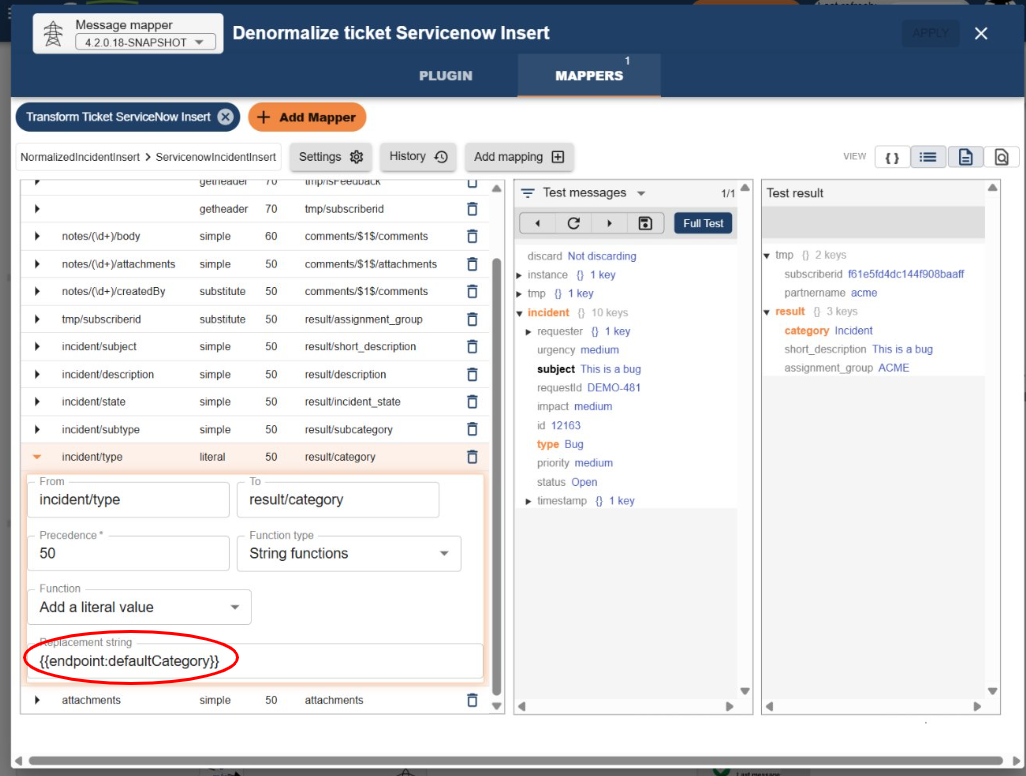
This allows plugins to remain flexible and decoupled, while still using centralized endpoint configuration.