Mapping
The Groovy mapping transforms message fields by executing a Groovy script during the transformation phase.
A script can return a value to populate a mapped field or directly modify the message. Groovy mappings are useful when transformation requirements cannot be fulfilled using standard mapping types.
Unlike Groovy pollers or sender plugins, Groovy mappings operate within the transformation phase, modifying message content without controlling message flow or delivery.
Execution Context
Groovy mapping scripts are executed only after a message has passed the mapper filter and before the transformed message is published.
If a message does not pass the mapper filter, the Groovy mapping will not run and the message will be published unchanged.
Available Fields in Groovy Mapping
| Object | Description |
|---|---|
| input | Reference to the source (“from”) field value in the mapping |
| message | The message being transformed, to access specific message fields for transformation |
| mappingContext | Metadata related to the current mapping execution |
| parser | JSON/map/list conversion utilities |
| api | Access to 1Gateway API |
| log | Logging utility |
| memory | Global in-memory datastore |
| db | Persistent datastore |
| option | Access optional bindings |
Simple Mapping Examples
The following examples demonstrate common use cases for Groovy mappings.
Get Message ID Field
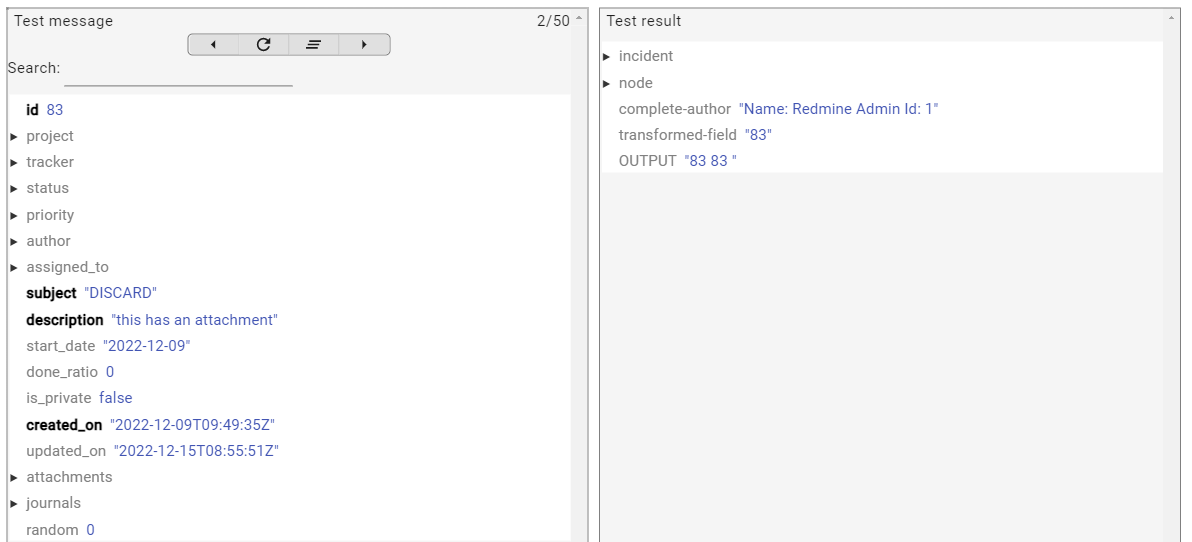
To get the value of id in a Groovy mapping, you can use input or message.get("id").
This example shows an input incident with id 83.
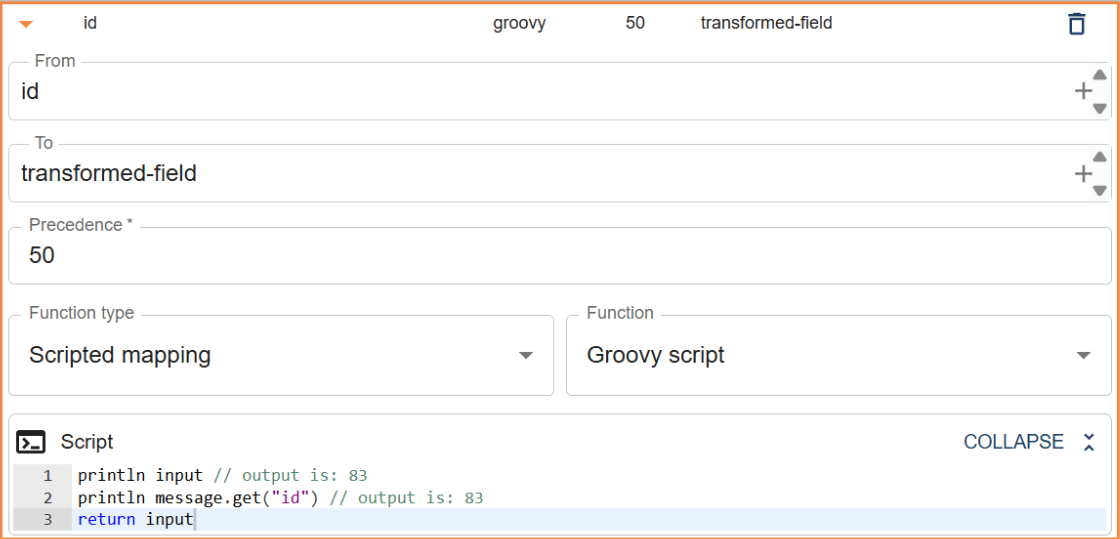
println input // output is: 83
println message.get("id") // output is: 83
return input
Get Message ID Header
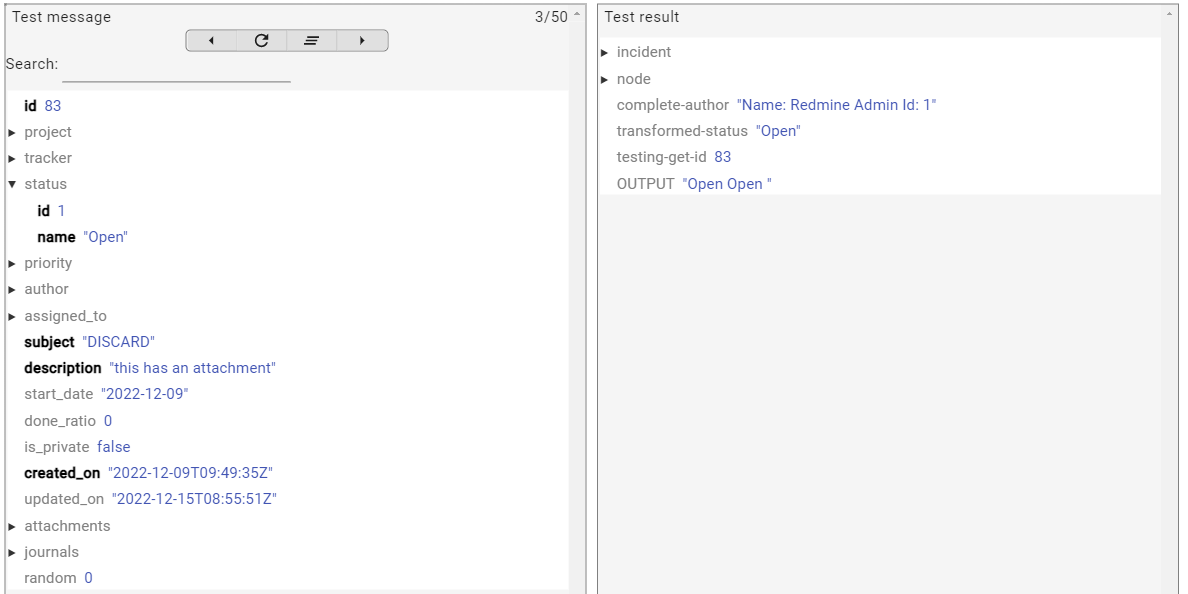
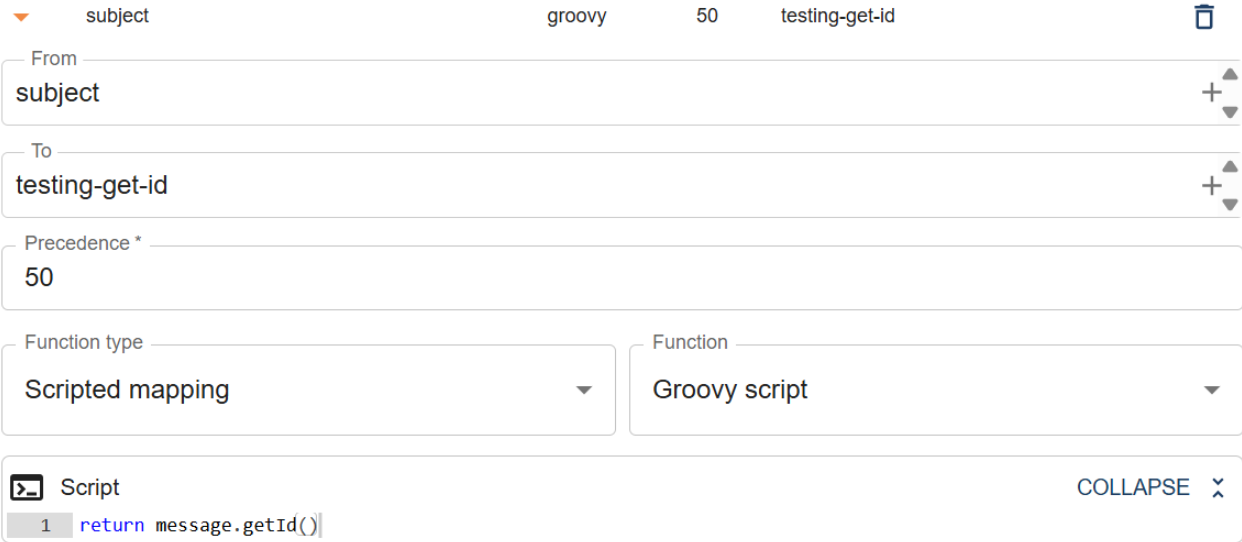
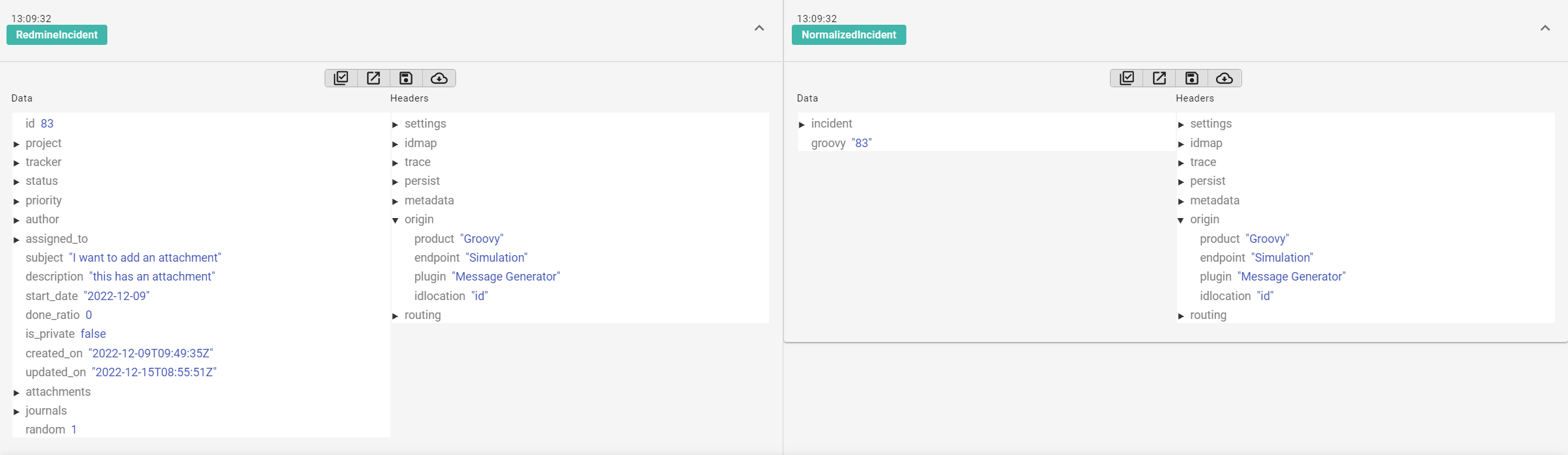
For messages that have an id header, you can call message.getId(). The location of the id in a message is defined in the origin/idlocation header. The ID is also defined in the message headers in origin/key.
Get Message ID for Correlated System (IDmap)
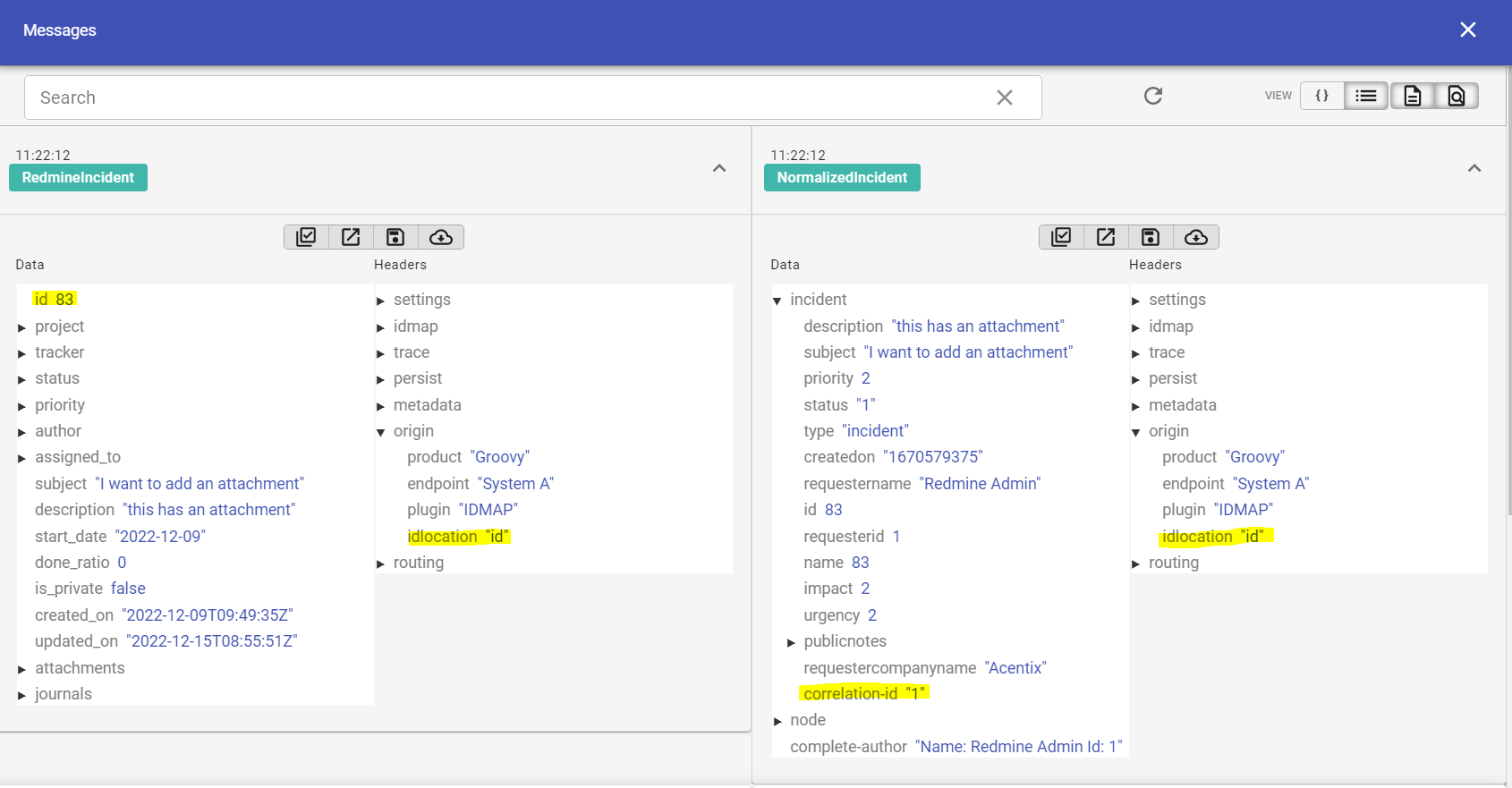
Correlation between message IDs in different systems is included in the internal MongoDB of 1Gateway, known as idmap.
The idmap database contains endpoint-id pairs that define the endpoint and id of a message. These pairs are associated with other endpoint-id pairs in the database, maintaining a relationship between two messages from disparate systems.
There is an idmap helper available to use in Groovy scripts. To access the idmap helper you can use option.getIdmap().
In this example, the incident id field needs to be mapped to its partner id and stored in incident/correlation-id. The incident in System A has an id of 83, which is associated with the incident with id 1 in System B.

Get Field Value from Message
To get a value from a sub-field, use a slash in message.get(). For example message.get("status/name").
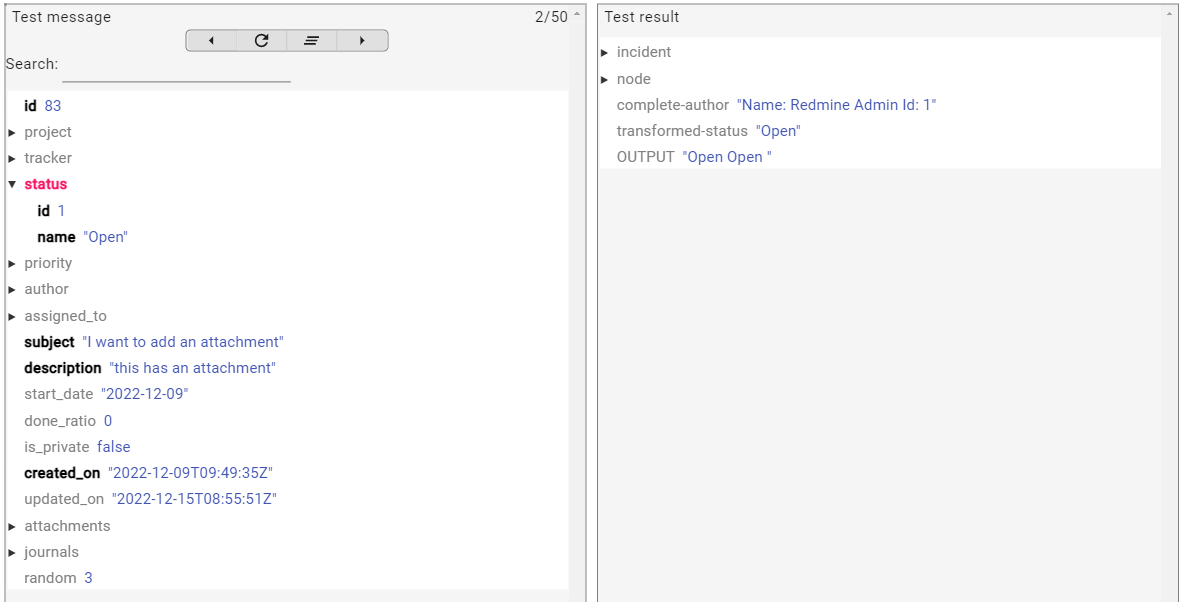

println input // output is: Open
println message.get("status/name") // output is: Open
return input
Concatenating Two Fields
You can concatenate two fields by using the input field and the message.get() method.
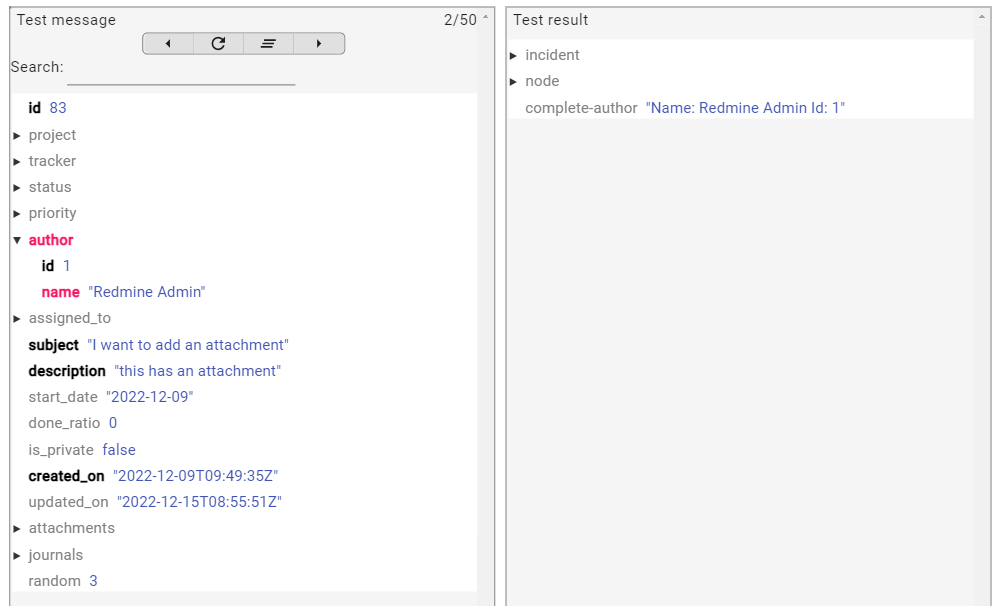

return "Name: " + input + " Id: " + message.get("author/id")
Enrich from External Data Source
This Groovy script connects to a MySQL database, executes a query using the input value to retrieve a task title, and reads the result.
It returns a formatted string containing the title from the first matching database record. The returned value is set in the enriched field in the transformed message.
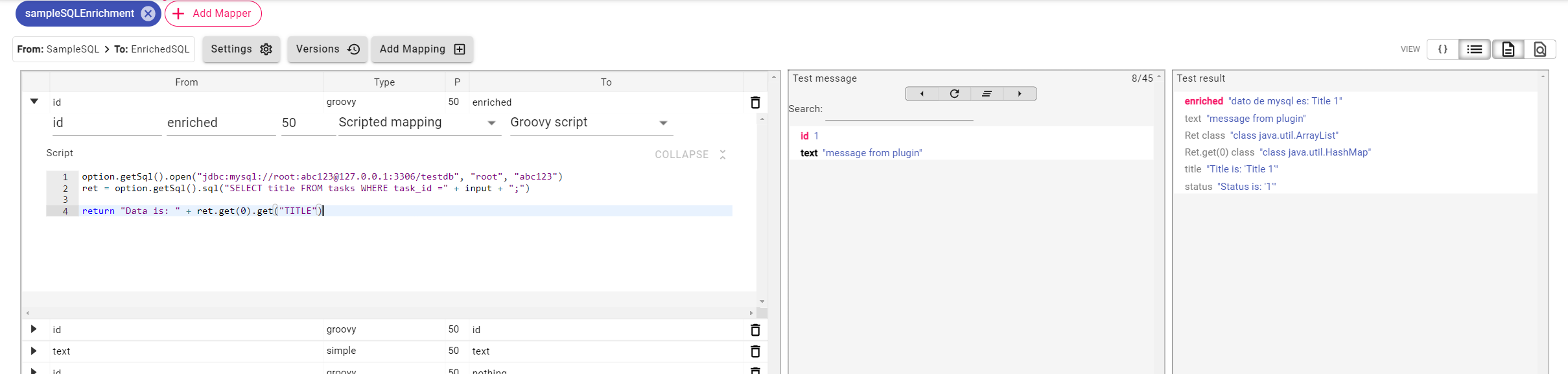
// open connection to database
option.getSql().open("jdbc:mysql://root:abc123@127.0.0.1:3306/testdb", "root", "abc123")
// run SQL query and get result as list of maps
ret = option.getSql().sql("SELECT title FROM tasks WHERE task_id =" + input + ";")
// get first record from list and get field title
return "Data is: " + ret.get(0).get("TITLE")
This Groovy script queries a MySQL database using the input value and retrieves the task title and status as a list of maps. It then adds the query result structure and extracted field values (title and status) directly to the transformed message.
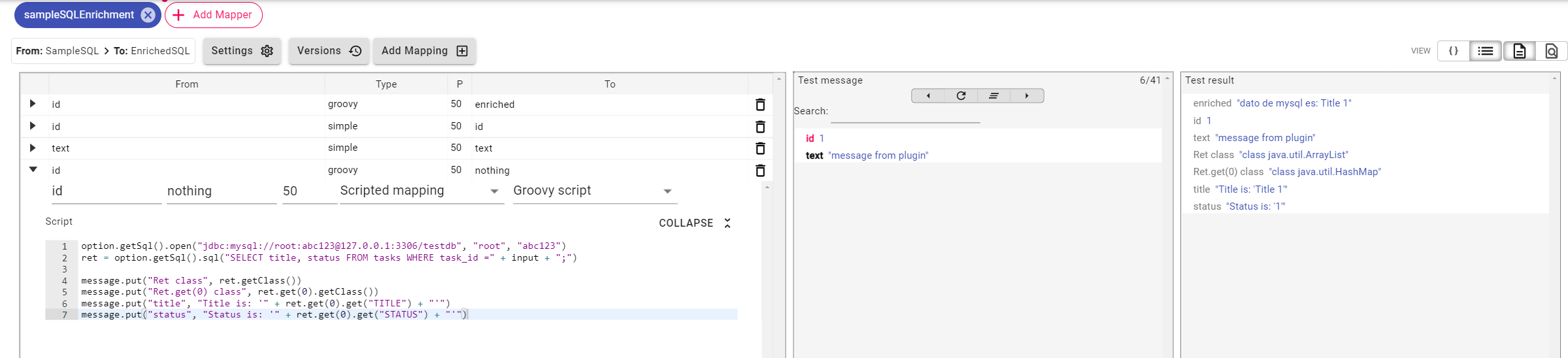
// open connection to database
option.getSql().open("jdbc:mysql://root:abc123@127.0.0.1:3306/testdb", "root", "abc123")

// run SQL query and get result as list of maps
ret = option.getSql().sql("SELECT title, status FROM tasks WHERE task_id =" + input + ";")

message.put("Ret class", ret.getClass()) // ret is a list
message.put("Ret.get(0) class", ret.get(0).getClass()) // elements in the list are maps
message.put("title", "Title is: '" + ret.get(0).get("TITLE") + "'") // get element title from map
message.put("status", "Status is: '" + ret.get(0).get("STATUS") + "'") // get element status from map
Discarding a message
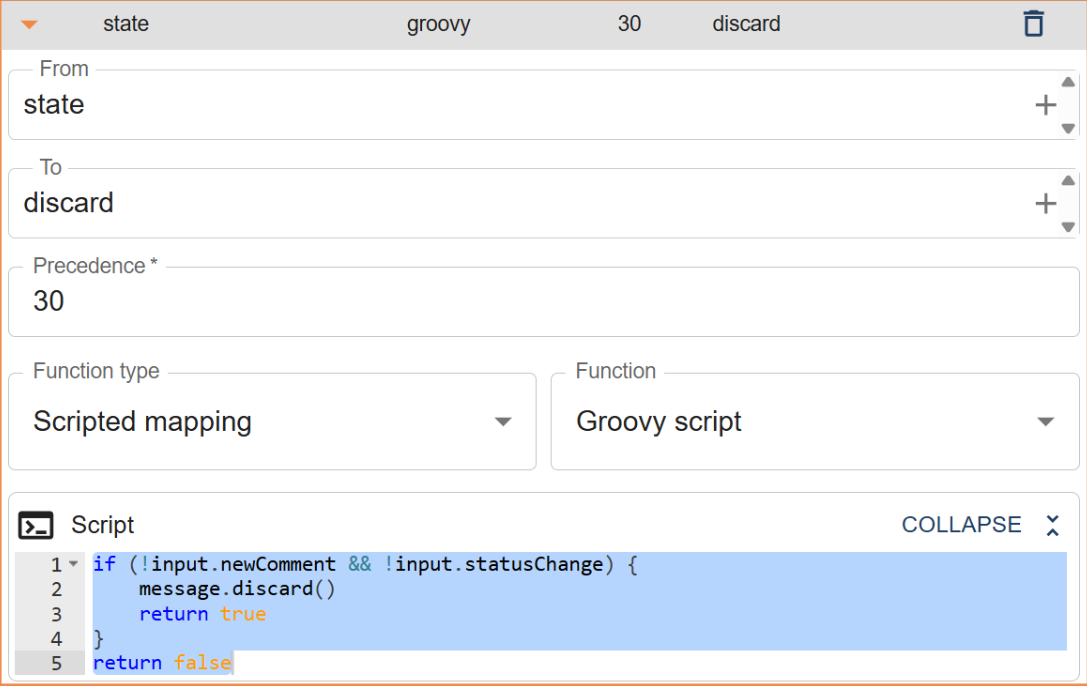
Using a Groovy mapping, a message can be discarded if it does not meet specific criteria (for example, if it has not changed since the last processing).
When a message is discarded in a Groovy mapping, it is removed from the processing pipeline and will not be published or delivered to any plugins.
Complex Mapping Examples
Applying a Groovy Script for Each Key in a Message
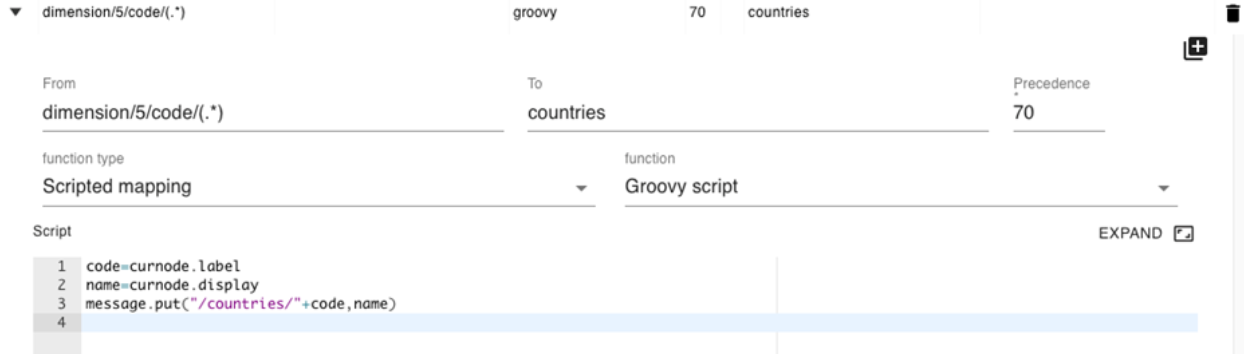
When you define a mapping with a regular expression and a capture group in the “from” field, the mapping will be executed once for each matching result, automatically iterating over the result set. In the mapping itself, the content of the current branch (the part of the message referenced by the matching from field) is made available as “curnode”. In this example, we add a country code lookup table to the message.
Applying a Groovy Script for Each Key in a Message 2
In the following example, we get an incident from Freshdesk with one or more comments (conversations in Freshdesk). The comment includes a userId but not a user name that identifies the user who inserted the comment. For each comment, we apply the following Groovy script that looks up the user name for that user id and populates the authorname of the comment.
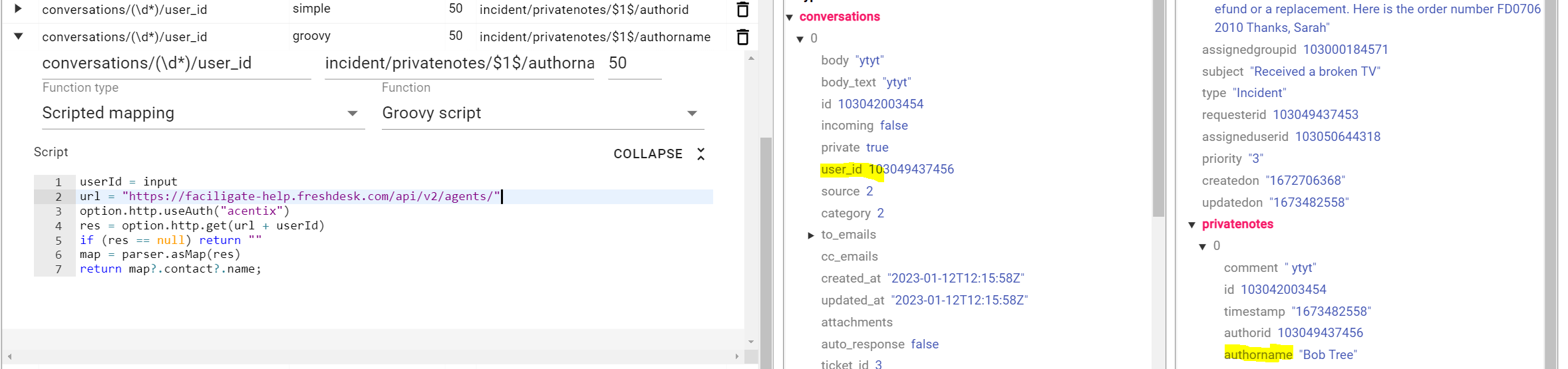
userId = input
// URL to get User information
url = "https://faciligate-help.freshdesk.com/api/v2/agents/"

// Freshdesk authentication
option.http.useAuth("acentix")

// Get specified user information
res = option.http.get(url + userId)
if (res == null) return ""

// parse the result
map = parser.asMap(res)

// get the user name
return map?.contact?.name;
Applying a Groovy Script for Each Key in a Message in Context
Sometimes, the output of the mapping consists of concatenating multiple fields from the context of the branch being mapped and other values in the message. The curnode object provides a context of the branch (typically a list) without losing the ability to get other values from the message. In this example, the script will run for each element in the list.
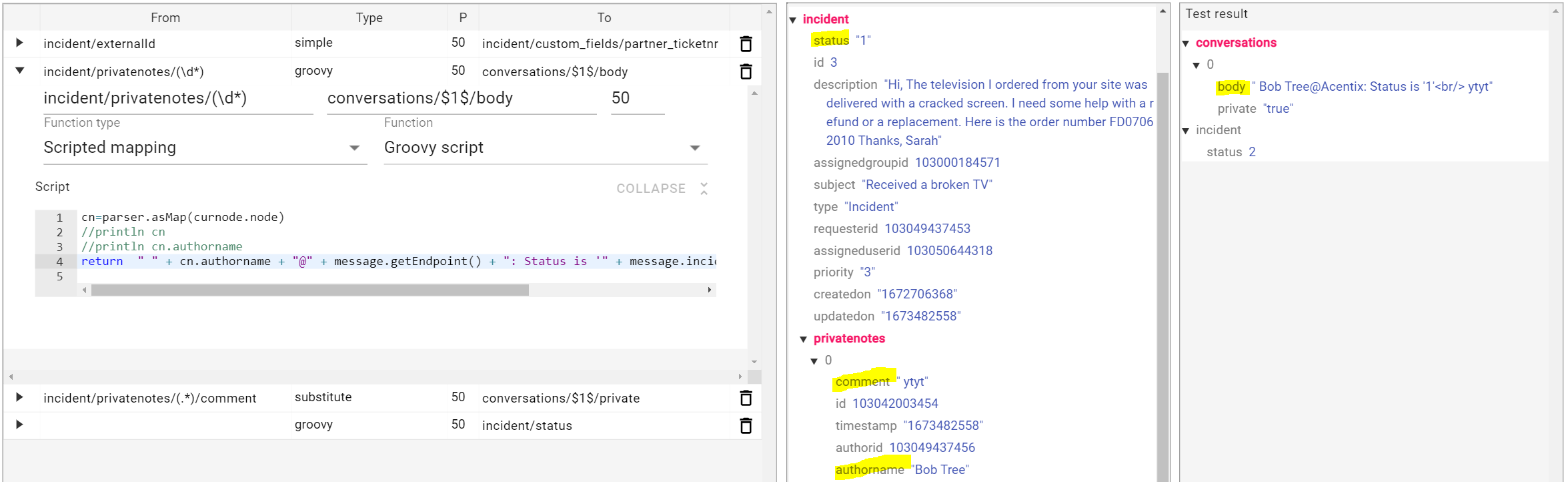
// parse node into map
cn=parser.asMap(curnode.node)
//println cn
//println cn.authorname

// concatenate fields from the context of the node with fields from the top message
return  " " + cn.authorname + "@" + message.getEndpoint() + ": Status is '" + message.incident.status + "'<br/>" + cn?.comment