Encryption mappings
The Encryption mappings in 1Gateway enable secure data exchange between multiple 1Gateway instances using public/private key cryptography (PKI).
These mappings ensure that:
- Only the intended recipient can read the message (encryption)
- The receiver can verify the sender (signing & verification)
This is commonly used in integrations where sensitive data must be exchanged securely between systems.
Objective
Encryption mappings are used to:
- Protect sensitive data during transmission
- Ensure message authenticity between systems
- Enable secure communication between multiple 1Gateway instances
To see how multple instances can share data, go here.
Concepts
Alias
An alias represents a key identity within a 1Gateway instance.
- Aliases are local to each instance
- Each system has its own alias (private/public key pair)
- Remote systems are identified by their imported alias
Public / Private Keys
Encryption mappings rely on PKI (Public Key Infrastructure):
- Public Key → Shared with other systems
- Private Key → Kept securely within the instance
Setup
Before using encryption mappings, systems must exchange keys.
Step 1 – Configure Application Properties
| Property | Description |
|---|---|
| CRYPTO_SELF_ALIAS | Alias identifying this 1Gateway instance |
| CRYPTO_KEYSTORE_PATH | Path to keystore (default: data/keystore.p12) |
| CRYPTO_KEYSTORE_PASSWORD | Password for keystore |
| CRYPTO_SELF_ALIAS_PASSWORD | Password for the key pair |
If passwords are changed, the keystore must be reinitialized and previous keys will be lost.
Step 2 – Check Local Alias
Use the API to verify configured aliases: GET /api/v3/crypto/pki/aliases
Step 3 – Generate Public Key
Create a certificate to share with another system: GET /api/v3/crypto/pki/certificate?alias={{your_alias}}
Step 4 – Import Remote Public Key
Import the certificate from another 1Gateway instance: POST /api/v3/crypto/pki/import?alias={{remote_alias}}
- Provide the certificate in the request body
- Verify import via
/aliasesendpoint
Encryption Mapping Types
1Gateway provides four PKI-based mapping functions:
- Encrypt (PKI): Encrypts a field using the receiver’s public key.
- Decrypt (PKI): Decrypts a field using the local private key.
- Sign (PKI): Signs a field using the local private key.
- Verify (PKI): Verifies that a message was sent by a trusted system.
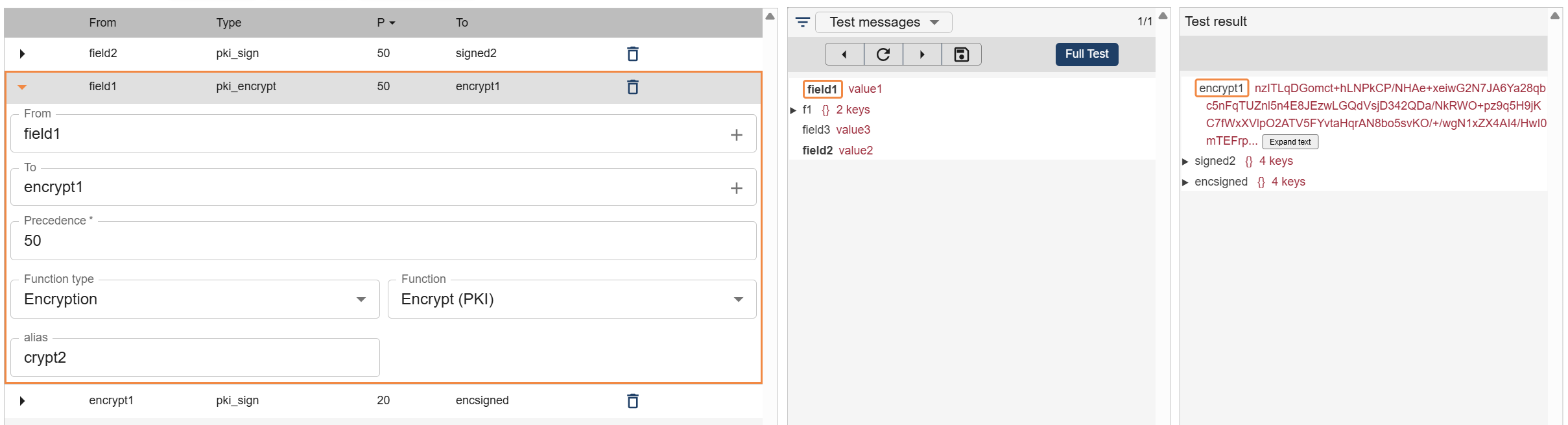
Encrypt (PKI)
Encrypts a field using the receiver’s public key.
- Only the receiver can decrypt the content
- Uses the remote alias
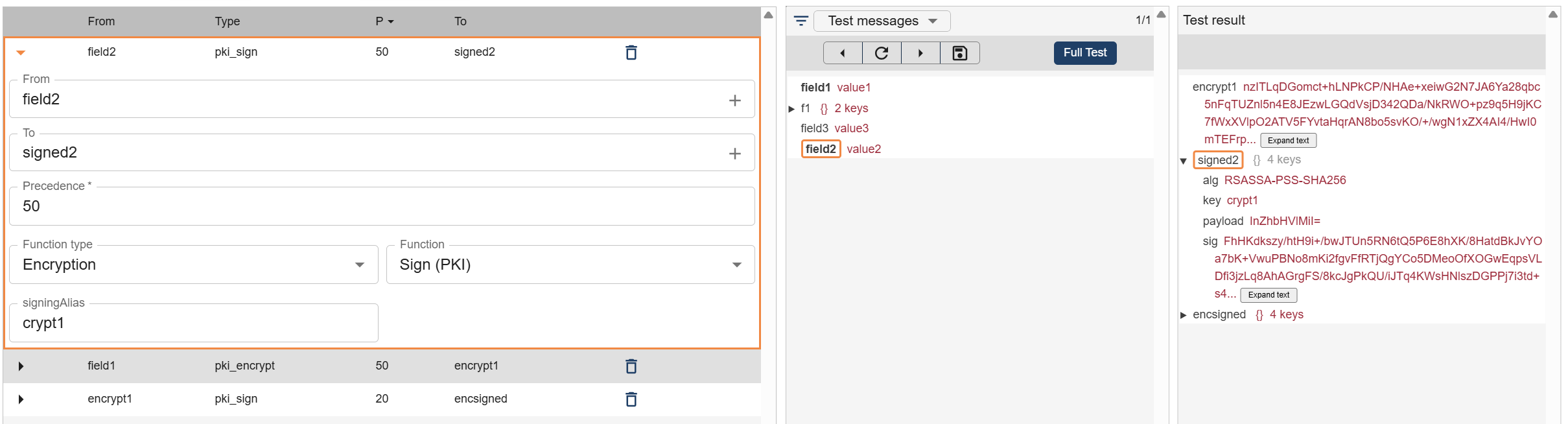
Sign (PKI)
Signs a field using the sender’s private key.
- Ensures authenticity
- Generates additional fields required for verification
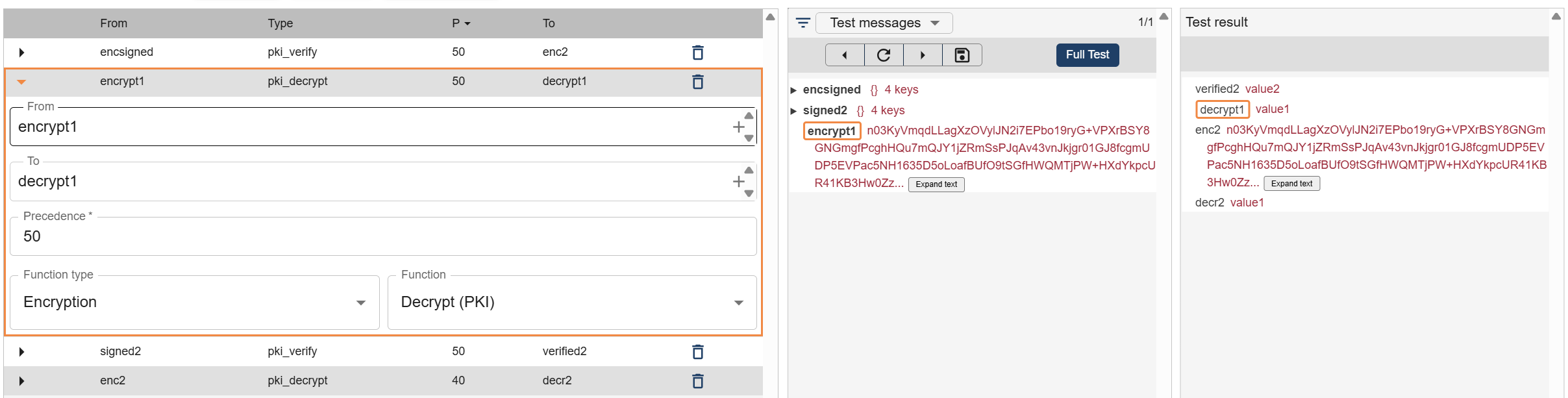
Decrypt (PKI)
Decrypts a field using the local private key.
- Used by the receiving system
- Reverses the encryption process
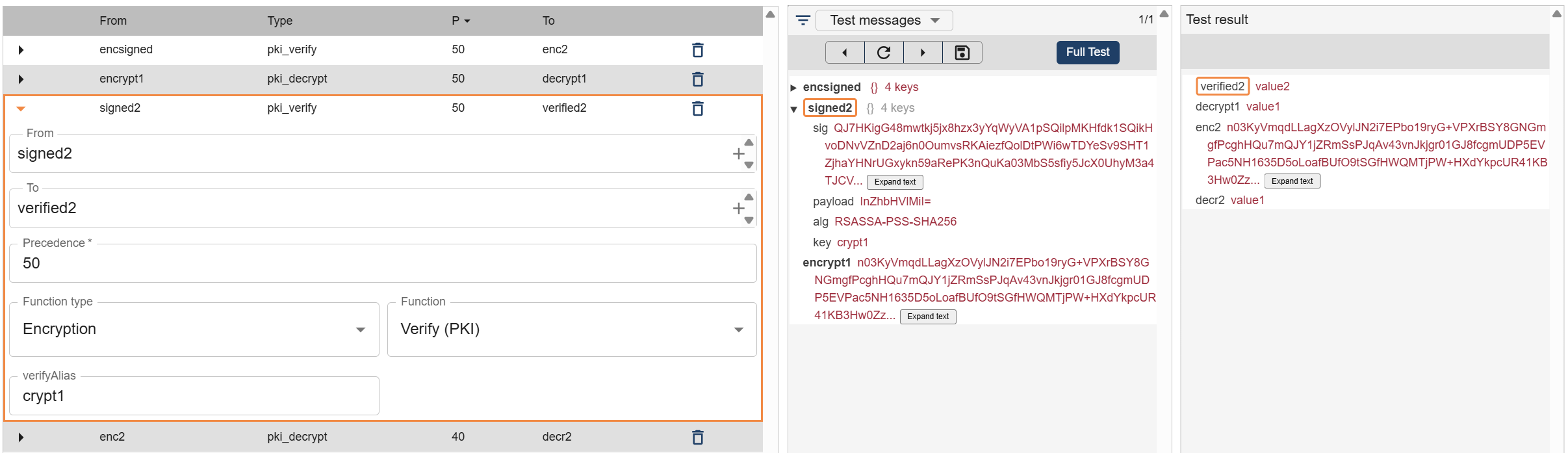
Verify (PKI)
Verifies that a message was sent by a trusted system.
- Uses the sender’s public key
- Confirms message integrity and origin
How It Fits in the Workflow
Encryption mappings are typically used in the Transform stage of a workflow:
- Before sending data → Encrypt + Sign
- After receiving data → Verify + Decrypt
This ensures secure communication between systems.
Best Practices
For maximum security:
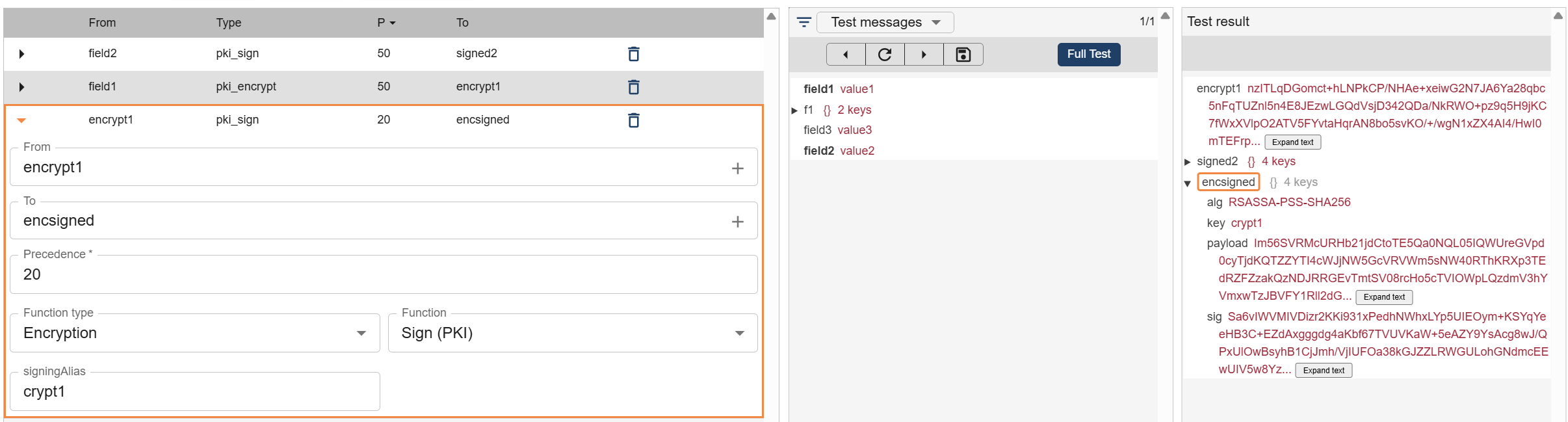
Sending System
- Encrypt the data using the receiver's alias
- Sign the data using the sender's alias
Receiving System
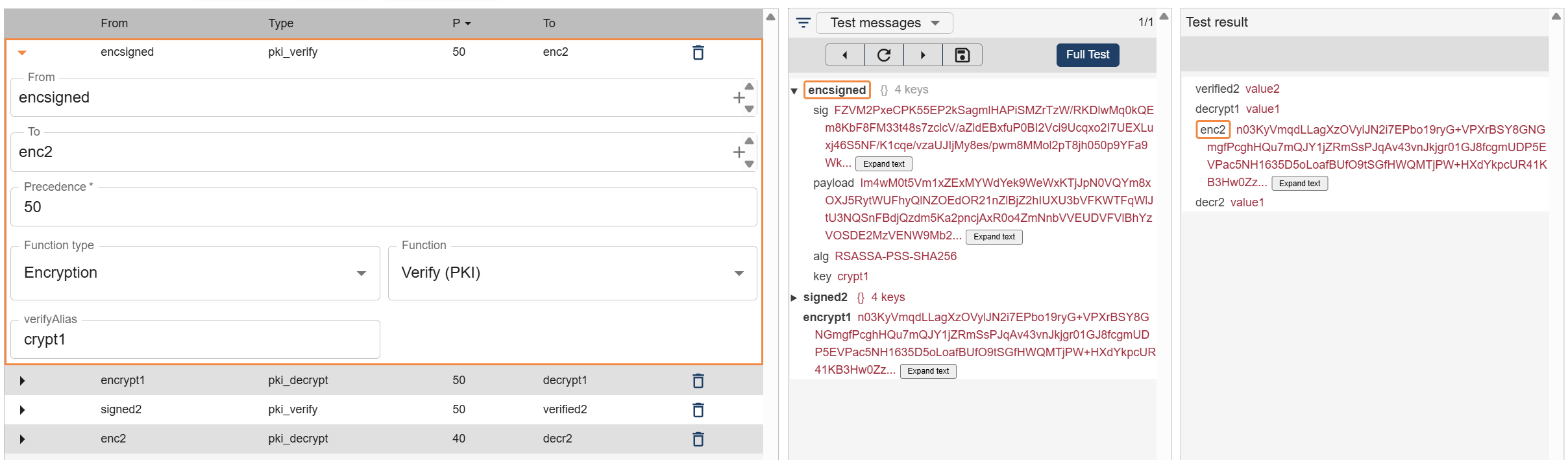
- Verify the message using the sender’s alias
- Decrypt the message using the receiver’s alias
Example Flow
Outbound (System A → System B):
- Encrypt → Sign → Send
Inbound (System B):
- Verify → Decrypt → Process